Trial 15 zile — verificare card 1 €. Configurare asistată inclusă.
Începe acum
📊
Understanding your dashboard
See today's revenue, top products, and next steps at a glance.
Getting started3 steps
- 1
View your daily summary
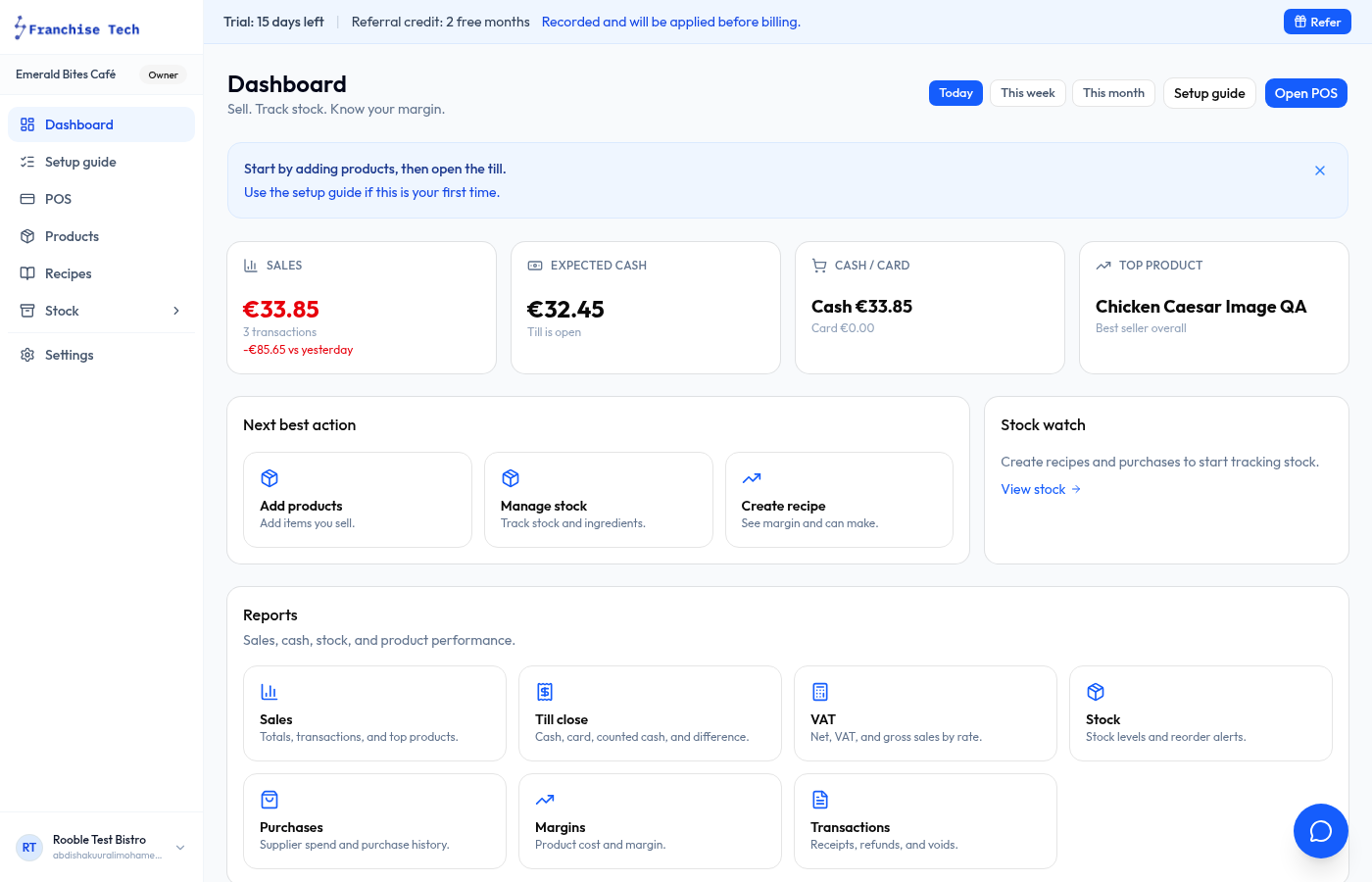
The dashboard shows Sales, Expected cash, and Top product for today. Switch between Today / This week / This month using the buttons at the top right.
- 2
Next best action
The Next best action panel suggests what to do next — add products, manage stock, create a recipe — so you always know where to focus.
- 3
Quick links
Use the Reports shortcuts at the bottom to jump straight to Sales, Till closes, VAT, and Margins without navigating the sidebar.
You are all set!
Still stuck? Use the chat widget in the bottom-right corner — our team replies within one business day.