Trial 15 zile — verificare card 1 €. Configurare asistată inclusă.
Începe acum
🧂
Add an ingredient
Track raw ingredients and their unit cost for recipe margin calculations.
Products4 steps
- 1
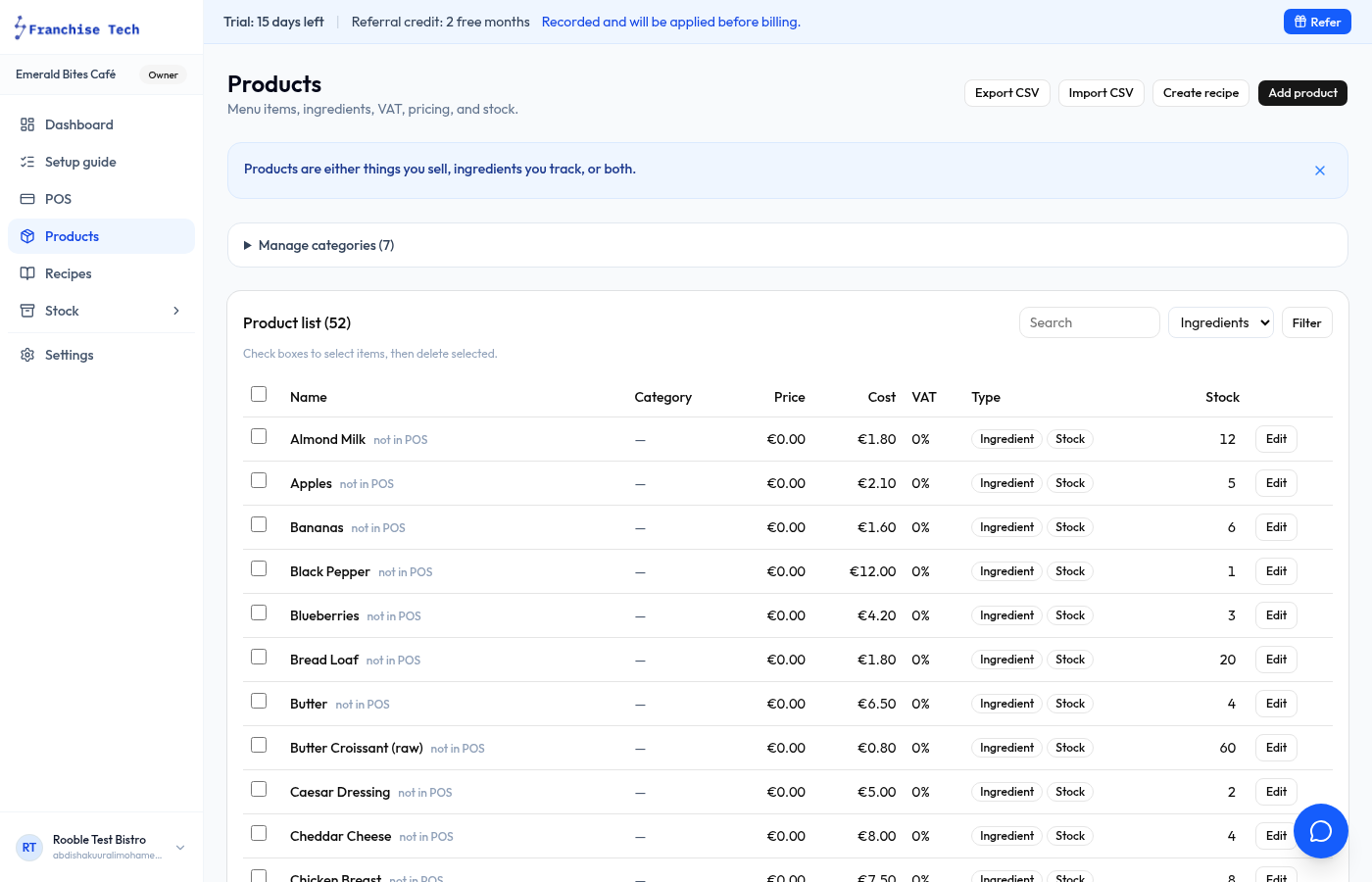
Switch to Ingredients view
Go to Products and click the Ingredients filter tab at the top.
- 2
Click New ingredient
Press New ingredient. Enter the name (e.g. "Oat milk"), unit (litre, kg, unit), and unit cost.
- 3
Set stock tracking
Toggle Track stock and enter current quantity on hand. The app will deduct ingredient quantity each time a linked recipe product is sold.
- 4
Save
Click Save ingredient. You can now link this ingredient to a product recipe.
You are all set!
Still stuck? Use the chat widget in the bottom-right corner — our team replies within one business day.