Trial 15 zile — verificare card 1 €. Configurare asistată inclusă.
Începe acum
📦
Add a product
Create a new product with a name, price, and category.
Products5 steps
- 1
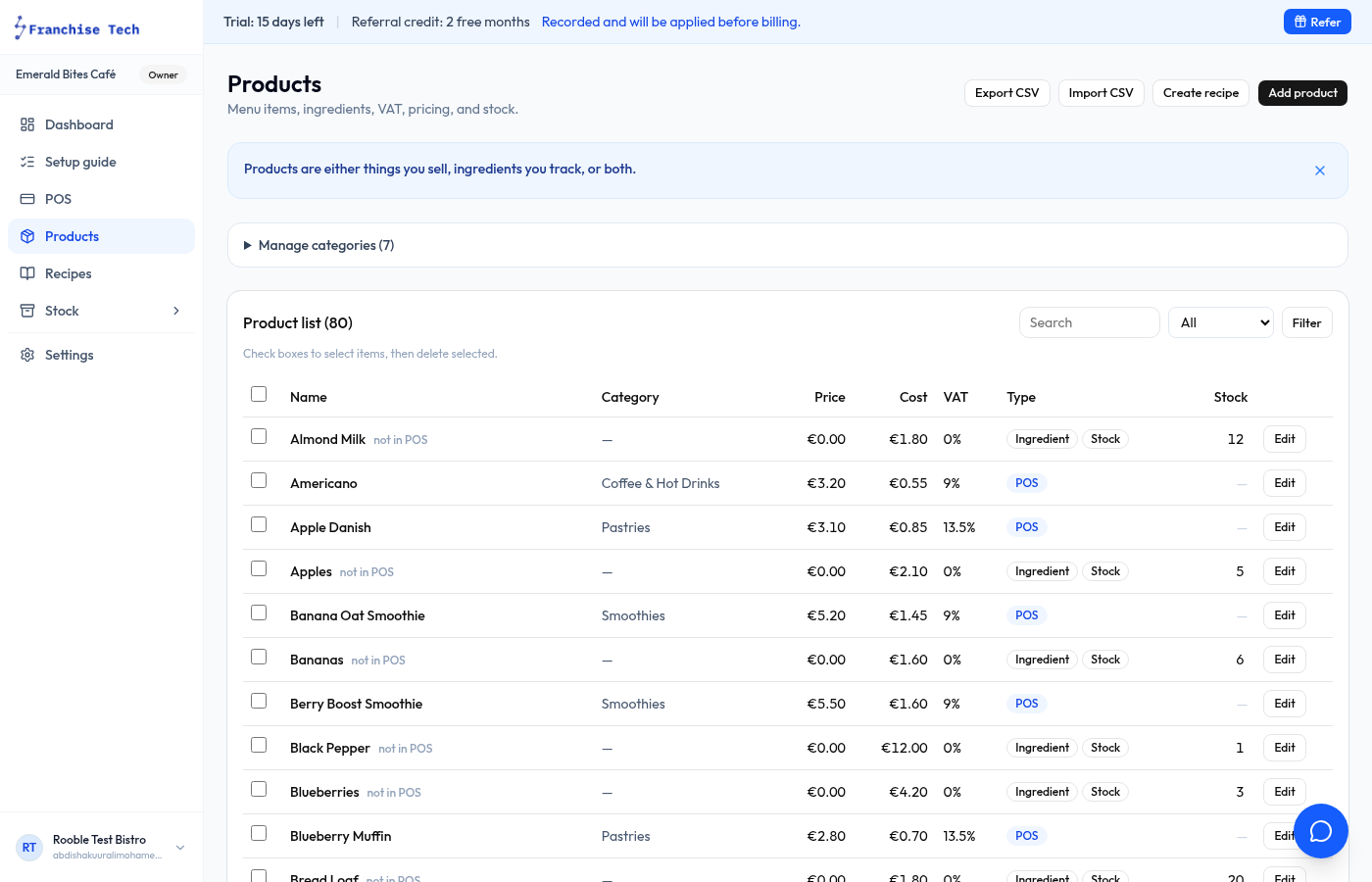
Go to Products
Click Products in the sidebar to see your product list.
- 2
Click New product
Press the New product button at the top right.
- 3
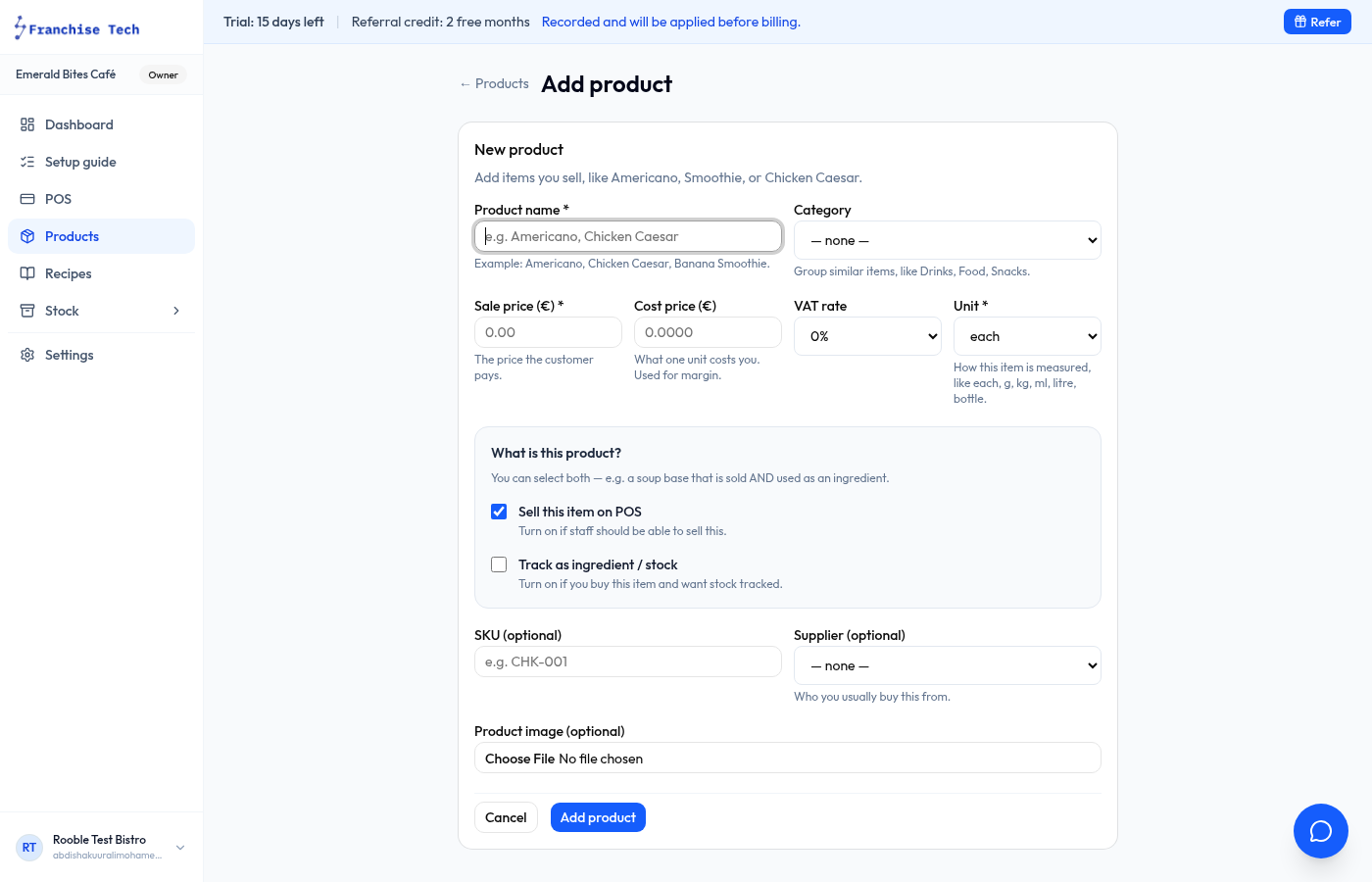
Fill in the details
Enter the Product name, Selling price (inc. VAT), and choose a Category. Categories group products on the POS screen.
- 4
Enable stock tracking (optional)
Toggle Track stock if you want the app to deduct one unit each time this product is sold. Set an initial Stock on hand quantity.
- 5
Save
Click Save product. The product appears on your POS immediately.
You are all set!
Still stuck? Use the chat widget in the bottom-right corner — our team replies within one business day.