Trial 15 zile — verificare card 1 €. Configurare asistată inclusă.
Începe acum
🧾
VAT report
Net, VAT, and gross figures broken down by rate — ready for your accountant.
Reports4 steps
- 1
Open the VAT report
Go to Reports → VAT in the sidebar.
- 2
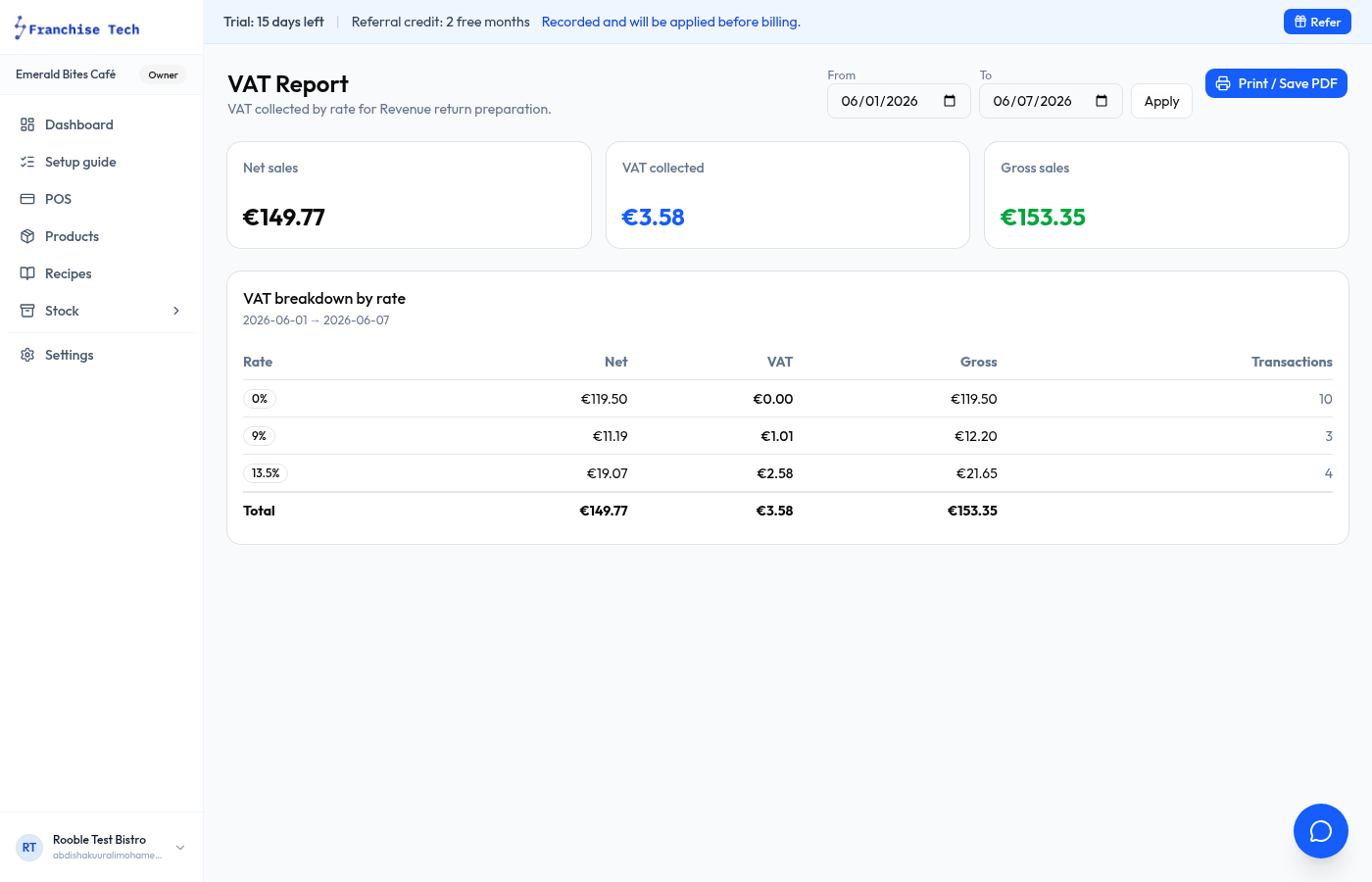
Select your filing period
Choose the date range that matches your VAT period (bi-monthly in Ireland).
- 3
Read the breakdown
The report shows Net, VAT, and Gross for each rate (0%, 9%, 13.5%, 23%). The totals row is what you report to Revenue.
- 4
Share with your accountant
Export as CSV or print. Your accountant needs the Net and VAT columns to complete your VAT return.
You are all set!
Still stuck? Use the chat widget in the bottom-right corner — our team replies within one business day.